
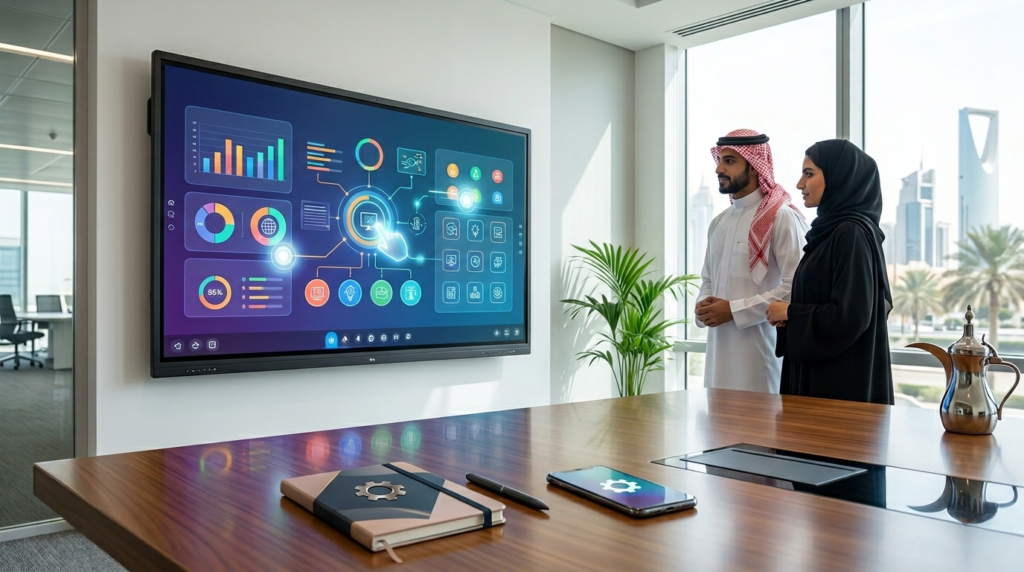
Interactive Displays in Saudi Arabia: Types, Prices, and How to Choose the Right Screen
Interactive displays have become a core component of modern digital transformation in Saudi Arabia. Their adoption is no longer limited to traditional classrooms or meeting rooms; today, they are widely used across educational institutions, corporate environments, training centers, government entities, and collaborative workspaces.
As organizations shift toward more interactive and digital-first environments, the demand for smarter communication tools continues to grow. However, with the wide range of options available in the market, choosing the right interactive display has become a strategic decision rather than a simple purchase.
This guide will help you understand the different types of interactive displays, their key features, pricing factors, and how to choose the right solution based on real operational needs.
What Are Interactive Displays?
Interactive displays are smart digital screens that allow users to directly interact with on-screen content using touch or digital pens instead of only viewing static information.
Unlike traditional screens, a touch interactive display enables users to write, draw, annotate, present, collaborate, and control applications directly on the screen.
This shift transforms the screen from a passive viewing tool into an active collaboration platform used for learning, meetings, and digital teamwork.
How Do Touch Interactive Displays Work?
Modern interactive displays use advanced touch-sensing technologies that detect multiple touch points simultaneously.
This allows users to:
- Write directly on documents and presentations
- Zoom, move, and manipulate content
- Collaborate with multiple users at the same time
- Share files from multiple devices
- Run applications directly from the screen
Most modern systems also support wireless connectivity, making content sharing seamless and fast across devices.
Interactive Displays vs Traditional Screens
The key difference is interaction.
Traditional screens are designed for one-way content display.
Interactive displays, however, are built for collaboration, engagement, and real-time content creation.
This makes them significantly more effective in environments where teamwork, communication, and participation are essential.
Types of Interactive Displays and Their Uses
Understanding the types of interactive displays is essential before making a purchasing decision.
Interactive Displays for Education
In education, interactive displays play a critical role in enhancing engagement and improving learning experiences.
They help educators:
- Increase student participation
- Simplify complex visual concepts
- Deliver interactive lessons
- Support collaborative learning activities
- Run educational applications directly
This is why many institutions now prioritize integrated, easy-to-manage solutions rather than standalone hardware.
Interactive Displays for Meetings and Business
In corporate environments, priorities shift toward productivity and collaboration.
Businesses use interactive displays to:
- Share content wirelessly during meetings
- Conduct hybrid meetings efficiently
- Annotate and edit documents in real time
- Improve team collaboration
- Reduce meeting setup time
These features help organizations streamline communication and improve decision-making efficiency.
Interactive Displays for Different Sectors
Interactive screens are also widely used in:
- Training centers
- Government entities
- Healthcare facilities
- Innovation hubs
- Conference rooms
- Collaborative workspaces
This broad adoption highlights the flexibility and scalability of interactive display technology across industries.
Key Features of Modern Interactive Displays
Choosing the right interactive display goes beyond brand selection; it depends on key functional features.
Multi-Touch Collaboration
Modern displays support multi-touch functionality, allowing several users to interact simultaneously.
This is especially useful for:
- Brainstorming sessions
- Classroom activities
- Workshops
- Team meetings
The smoother and more responsive the touch system is, the better the collaboration experience.
Display Quality and Visual Performance
High-resolution displays significantly enhance readability and clarity.
This is crucial in environments that rely on data visualization, presentations, and detailed content.
Better visual quality also reduces eye strain during long usage sessions.
Wireless Content Sharing
Modern meeting environments require fast and flexible content sharing.
BenQ interactive displays offer tools such as InstaShare, enabling users to share screens wirelessly from laptops, tablets, and smartphones in seconds.
Smart Writing and Collaboration Tools
Digital whiteboarding is now a core feature of interactive display systems.
Solutions like EZWrite allow users to:
- Write and annotate in real time
- Save and share notes instantly
- Collaborate across devices
- Organize ideas efficiently
These tools transform meetings and lessons into more dynamic and productive experiences.
How to Choose the Right Interactive Display
Selecting the right solution requires a structured evaluation process.
Define Your Use Case First
Before comparing specifications, identify the primary purpose:
- Meetings
- Education
- Training
- Presentations
Each use case requires different specifications, sizes, and software capabilities.
Choose the Right Screen Size
Screen size impacts visibility and user experience.
Smaller rooms require compact displays, while larger spaces demand bigger screens for better visibility and collaboration.
Evaluate Software and Operating System
Not all interactive displays offer the same software ecosystem.
Advanced systems may include:
- Built-in applications
- Cloud integration
- Digital whiteboarding tools
- Wireless sharing platforms
- Device management features
A strong software ecosystem is often more valuable than hardware alone.
Check Warranty and Technical Support
Long-term performance depends heavily on after-sales support.
Key factors include:
- Warranty period
- Maintenance availability
- Technical support responsiveness
- System update frequency
Interactive Display Prices in Saudi Arabia and Key Factors
When searching for interactive display prices, buyers often focus on cost first. However, pricing depends on several technical and operational factors.
Screen Size
Larger screens generally cost more due to increased material and display requirements.
Technical Specifications
Pricing is influenced by:
- Resolution quality
- Touch responsiveness
- Multi-touch capability
- Processing performance
- Connectivity options
Brand and Software Ecosystem
Some brands offer complete ecosystems rather than standalone screens.
For example, BenQ interactive displays integrate hardware with software tools that enhance collaboration and management efficiency.
BenQ Interactive Displays: Why They Are Widely Preferred
BenQ interactive displays are known for combining performance with intelligent collaboration tools.
Smart Collaboration Tools
BenQ provides solutions such as:
- EZWrite for digital whiteboarding and annotation
- InstaShare for wireless screen sharing
These tools simplify collaboration and reduce technical barriers during meetings and lessons.
Efficient Device Management
Organizations can manage multiple displays through centralized systems, making updates and monitoring easier and more efficient.
Eye-Care and User Comfort Technologies
BenQ integrates visual comfort technologies designed to reduce eye strain during long sessions, improving usability in classrooms and corporate environments.
Adowa Alshamel Interactive Display Solutions in Saudi Arabia
Choosing an interactive display is not just about the product—it is about selecting the right solution provider.
Adowa Alshamel offers tailored interactive display solutions designed to meet the needs of educational institutions, businesses, and organizations across Saudi Arabia.
With professional consultation and solution-based recommendations, organizations can ensure they select the most suitable interactive display for their operational requirements.
Frequently Asked Questions
What is the difference between a smart screen and an interactive display?
A smart screen focuses on content display and app usage, while an interactive display enables full user interaction, annotation, collaboration, and content creation.
What is the best interactive display?
There is no single best option. The ideal choice depends on usage, budget, and required specifications.
How much do interactive displays cost?
Prices vary depending on size, specifications, software capabilities, and brand.
How do I choose the right interactive display?
Start by defining your use case, then evaluate screen size, software features, performance, and long-term support.
Conclusion
Interactive displays have become essential tools for modern organizations seeking better collaboration, communication, and productivity.
However, selecting the right solution requires a clear understanding of use cases, specifications, pricing factors, and software ecosystems.
If you are looking for the right interactive display solution for your organization, Adowa Alshamel can provide expert consultation and a tailored quotation to help you make the right investment decision with confidence.
https://adowaalshamel.com.sa/get-a-free-quote-page/