
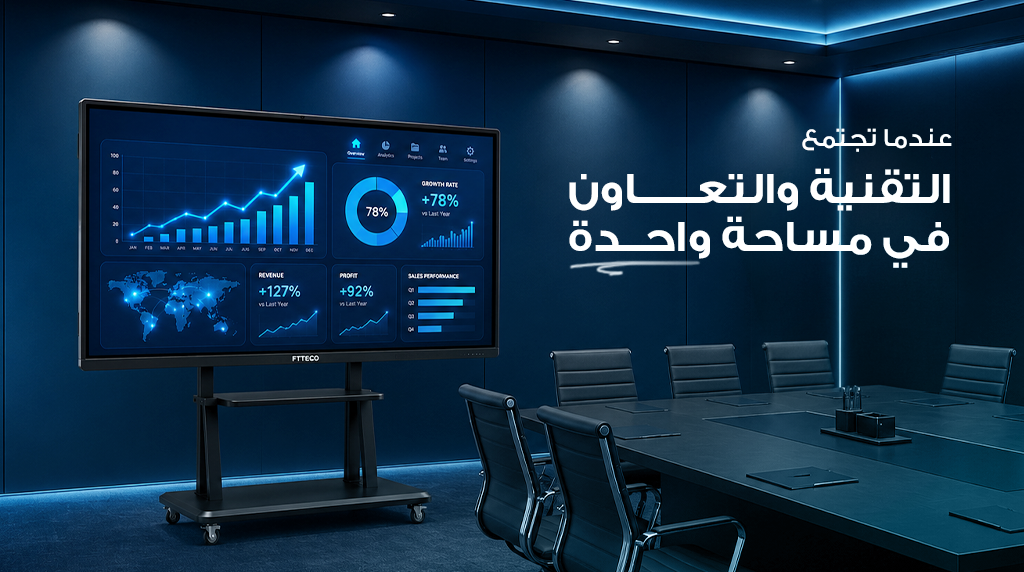
What Happens When Interactive Displays and Smart Meeting Systems Come Together in One Room?
How many times has your meeting started late because someone was looking for the right cable, trying to connect a laptop, or troubleshooting screen sharing?
These situations happen every day in many organizations. Although they may seem minor, they consume valuable time that could be spent discussing ideas and making decisions. As hybrid work becomes increasingly common and organizations rely more on virtual collaboration, equipping a meeting room is no longer just about installing a large display—it is about creating a complete environment that supports communication, collaboration, and productivity.
This is where BenQ Interactive Displays make a difference. Rather than serving as traditional presentation screens, they provide an interactive workspace that combines presentation, annotation, collaboration, content sharing, and seamless integration with modern meeting platforms.
But what actually happens when BenQ Interactive Displays are combined with smart meeting systems, including professional cameras, microphones, and platforms such as Microsoft Teams, Zoom, and Google Meet?
In this practical guide, we answer that question through simple comparisons, organized tables, and real-world examples that demonstrate how this integration transforms an ordinary meeting room into a smarter, more productive workspace.
Why Is a Traditional Display No Longer Enough?
A few years ago, meeting room displays were primarily used to present slides and documents. Today, however, meetings rely on real-time collaboration, content sharing, hybrid participation, and interactive discussions.
As a result, traditional displays can no longer meet the needs of modern workplaces because teams need more than a screen—they need a platform that allows them to interact with information instead of simply viewing it.
The following comparison illustrates the difference.
| Feature | Traditional Display | BenQ Interactive Displays |
| Display presentations | ✓ | ✓ |
| Write directly on content | ✗ | ✓ |
| Multi-touch interaction | ✗ | ✓ |
| Wireless screen sharing | Limited or requires additional devices | ✓ |
| Save meeting notes | ✗ | ✓ |
| Multi-user collaboration | ✗ | ✓ |
| Integration with meeting platforms | Limited | ✓ |
Clearly, the difference is not simply about display quality. Instead, it lies in how meetings are managed. The more effectively teams can interact with content, document ideas, and collaborate, the more productive and organized meetings become.
How Do BenQ Interactive Displays Work with Smart Meeting Systems?
One of the most common questions business leaders ask is:
Is an interactive display alone enough to create a smart meeting room?
The answer is: Not always.
The real value appears when the interactive display operates as part of a complete meeting ecosystem, where each component complements the others.
Integration Between the Display, Camera, and Microphones
Successful hybrid meetings depend on more than high-quality visuals. Clear audio is equally important.
When BenQ Interactive Displays are combined with professional cameras, multi-directional microphones, and high-quality speakers, both in-room participants and remote attendees enjoy a clearer and more engaging meeting experience.
Furthermore, this integrated approach reduces the need for multiple standalone devices, creating a cleaner and more organized meeting environment.
Integration with Microsoft Teams, Zoom, and Google Meet
Today, most organizations rely on digital meeting platforms for daily collaboration.
For this reason, BenQ Interactive Displays are designed to work seamlessly with popular meeting platforms, allowing teams to present content, annotate documents, and collaborate during meetings whether participants are in the room or joining remotely.
In addition, this integration helps reduce meeting preparation time by providing faster access to presentations, files, and collaboration tools.
Content Sharing and Interactive Whiteboarding
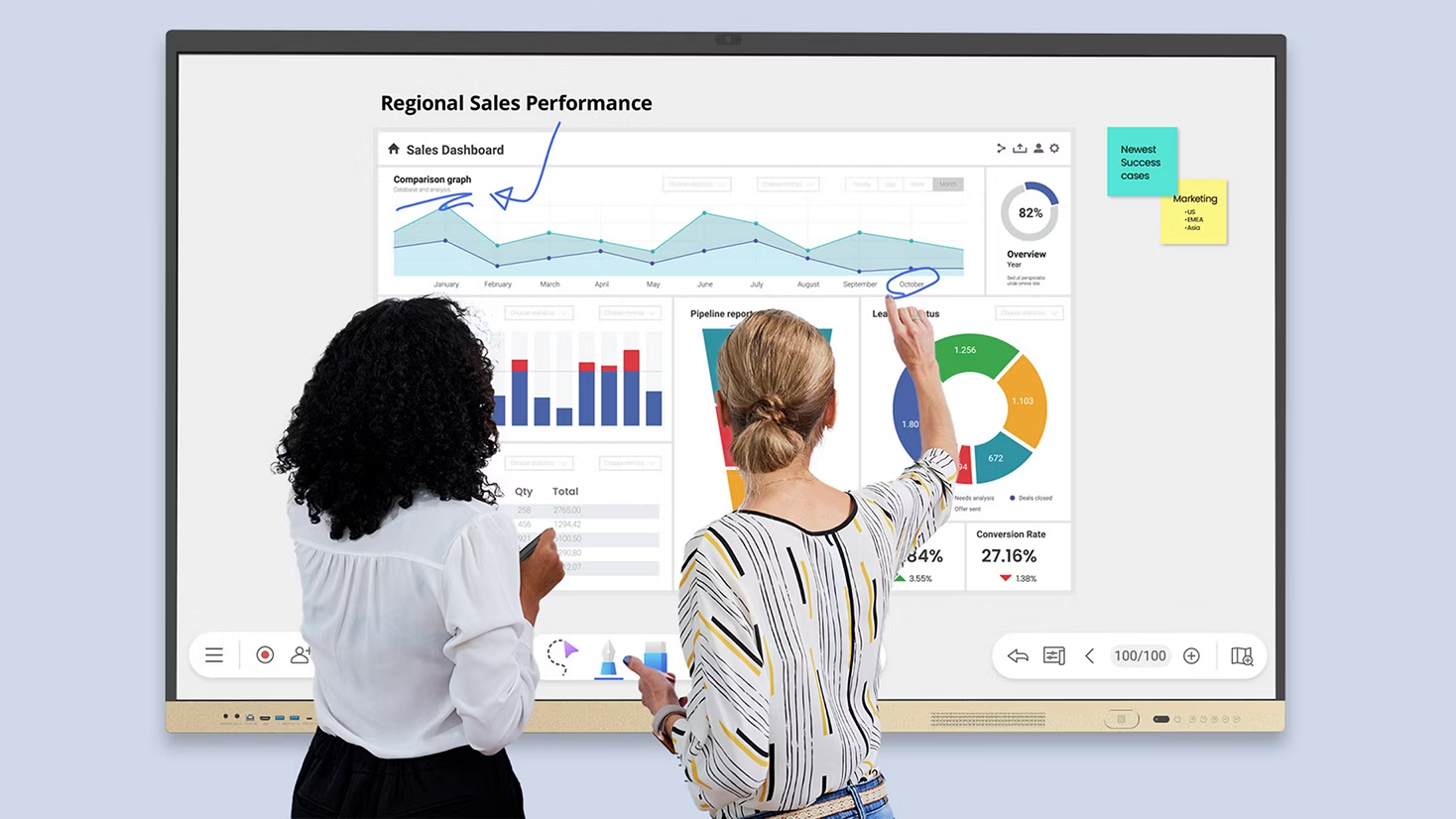
One of the most valuable features during meetings is the ability to transform the display into a digital whiteboard.
Instead of using a separate whiteboard, participants can write directly on presentations and documents, save their annotations, and instantly share them with the entire team after the meeting.
As a result, important ideas are no longer lost—they become organized digital records that can be reviewed and acted upon immediately.
What Practical Benefits Do Companies Gain from Combining BenQ Interactive Displays with Smart Meeting Systems?
At first glance, interactive displays and smart meeting systems may appear to be technology investments. However, their true value becomes clear in everyday meetings.
Instead of relying on several disconnected devices, organizations gain a unified workspace that reduces wasted time, improves collaboration, and increases meeting efficiency.
Consequently, the benefits extend far beyond technology—they directly enhance workplace productivity and decision-making.
Comparison Between Traditional Challenges and the Solutions Offered by BenQ Interactive Displays
| Common Meeting Challenge | How BenQ Interactive Displays Help |
| Delayed meeting start due to cables | Wireless content sharing from compatible devices |
| Using a separate whiteboard for notes | Write directly on the display and save annotations |
| Difficulty sharing files with participants | Real-time content sharing and collaboration |
| Multiple devices in the meeting room | Consolidate several functions into one platform |
| Limited hybrid meeting experience | Better integration with modern meeting platforms |
As a result, participants spend less time solving technical issues and more time focusing on productive discussions.
Reducing Meeting Setup Time
Many meetings begin with connecting cables, finding adapters, or troubleshooting compatibility issues.
With BenQ Interactive Displays, wireless presentation capabilities and modern connectivity options simplify these tasks, allowing meetings to start more quickly.
Over the course of a year, saving just a few minutes per meeting can translate into dozens of productive working hours for organizations that hold meetings every day.
Improving Team Collaboration
Traditional meetings often revolve around one presenter while everyone else watches.
Thanks to multi-touch technology and interactive whiteboarding, multiple participants can simultaneously annotate documents, modify ideas, and review project materials.
Therefore, brainstorming sessions, planning meetings, and project reviews become significantly more interactive and engaging.
Enhancing Hybrid Meetings
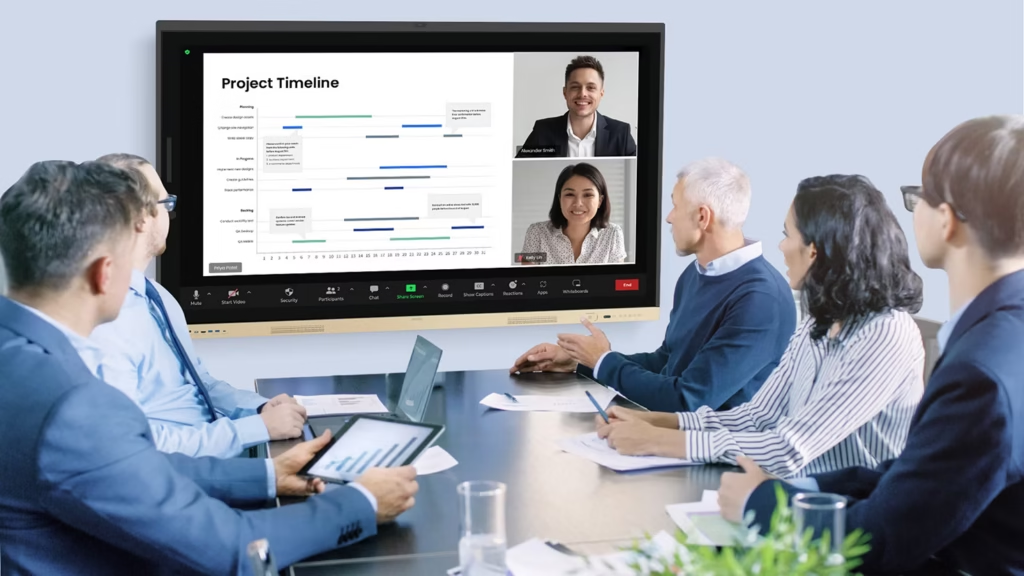
Today, it is common for some team members to participate remotely from another office or from home.
BenQ Interactive Displays help create a consistent experience for everyone by allowing content, annotations, and discussions to be shared in real time with both in-room and remote participants.
As a result, remote attendees become active contributors rather than passive observers.
Simplifying Documentation and Follow-Up
After many meetings, teams spend additional time rewriting notes or collecting feedback from different sources.
In contrast, interactive displays allow meeting notes to be saved digitally and shared immediately with participants.
Consequently, valuable information is less likely to be lost, and action items can be implemented more efficiently.
What Technologies Should You Expect in BenQ Interactive Displays?
When comparing interactive displays, organizations should look beyond screen size. Daily performance depends on a combination of hardware and software capabilities.
Hardware Features
| Technology | Benefit in the Meeting Room |
| 4K UHD Display | Crystal-clear documents, spreadsheets, and presentations |
| Multi-Touch Technology | Multiple users can interact simultaneously (depending on the model) |
| USB-C Connectivity | Video, audio, touch, and power through a single cable on supported models |
| Built-in Speakers | Clear audio for presentations and meetings |
| Built-in Camera or Microphones | Available on selected models to support video conferencing |
Software Features
In addition to hardware, BenQ Interactive Displays include collaboration tools designed to improve productivity.
| Software or Feature | Purpose |
| EZWrite | Interactive whiteboard for writing, drawing, and collaboration |
| InstaShare 2 | Wireless screen sharing from compatible devices |
| Google EDLA (on supported models) | Access to certified Google services and applications |
| Device Management | Centralized display monitoring and administration |
| Annotation Tools | Add notes directly to presentations and documents |
It is important to note that some features vary depending on the BenQ Board series and model. Therefore, reviewing the technical specifications before purchasing is always recommended.
Quick Comparison: Traditional Meeting Room vs. Smart Meeting Room
| Feature | Traditional Meeting Room | Meeting Room with BenQ Interactive Displays |
| Content Sharing | Cables and multiple devices | Flexible wireless sharing |
| Note-Taking | Paper or whiteboard | Directly on the display |
| Saving Meeting Results | Manual | Instant digital saving |
| Collaboration | Limited | Interactive and real time |
| Hybrid Meeting Support | Separate equipment required | Better integration with meeting tools |
This comparison demonstrates that the real value lies not only in the display itself, but in the integration between BenQ Interactive Displays and smart meeting systems, resulting in more productive meetings and stronger collaboration.
Is Equipping a Meeting Room with BenQ Interactive Displays a Good Investment?
This is perhaps the most important question for business owners and executives.
Does the return justify the investment?
The answer depends largely on how frequently the meeting room is used. Organizations that conduct regular meetings, manage distributed teams, or rely on hybrid collaboration are far more likely to benefit from a smart meeting environment.
Rather than viewing the display as a presentation device, organizations should consider it part of a broader collaboration ecosystem that improves efficiency, reduces wasted time, and simplifies meeting management.
Comparing Cost and Value
| Aspect | Before Upgrading | After Upgrading |
| Meeting room equipment | Display + whiteboard + camera + speakers + sharing devices | More integrated solution |
| Content sharing | Multiple manual steps | Faster and more flexible |
| Note-taking | Manual | Digital |
| Hybrid meeting experience | Depends on separate equipment | More seamless |
| Overall meeting management | Multiple disconnected tools | Unified experience |
Ultimately, the investment is not about replacing one display with another—it is about improving the entire meeting experience.
When Does the Investment Make Sense?
A smart meeting room may be the right choice if your organization:
- Holds meetings daily or weekly.
- Depends on collaboration between multiple teams.
- Regularly uses Microsoft Teams, Zoom, or Google Meet.
- Conducts internal training sessions.
- Plans to build a more flexible and future-ready workplace.
However, if meetings are infrequent and the display is used only for presentations, the organization may not take full advantage of the available capabilities.
How Do You Choose the Right BenQ Interactive Display for Your Meeting Room?
There is no single solution suitable for every business.
Choosing the right model depends on room size, the number of participants, and the way meetings are conducted.
For this reason, organizations should evaluate their actual requirements before comparing specifications.
Recommended Screen Size Guide
| Meeting Room Size | Typical Number of Participants | Recommended Display Size |
| Small | 4–6 people | 65″ |
| Medium | 6–12 people | 75″ |
| Large | 12+ people | 86″ or larger |
In addition to screen size, organizations should consider:
- 4K UHD resolution.
- Multi-touch capability.
- USB-C connectivity.
- Compatibility with existing meeting platforms.
- Collaboration software such as EZWrite and InstaShare 2.
- Warranty and after-sales support.
It is also advisable to evaluate future business needs rather than focusing only on current requirements.
Frequently Asked Questions
Can BenQ Interactive Displays be used without a computer?
Yes. Many BenQ Board models include Android as a built-in operating system, allowing users to access whiteboarding tools, applications, and files directly from the display. However, specialized desktop software may still require a connected PC or OPS module.
Do BenQ Interactive Displays support Microsoft Teams, Zoom, and Google Meet?
Yes. BenQ Interactive Displays are compatible with leading meeting platforms, either through supported applications or when connected to a computer, making them suitable for both in-person and hybrid meetings.
Can they be used for training and presentations?
Absolutely. In addition to meetings, they are ideal for workshops, training sessions, brainstorming, presentations, and collaborative discussions thanks to their interactive annotation and whiteboarding capabilities.
Does every meeting room require external cameras and microphones?
It depends on the selected model and the organization’s requirements. Some BenQ solutions include integrated meeting features or work seamlessly with professional conferencing equipment, while larger meeting rooms may benefit from dedicated external devices.
What is the most important factor when choosing a display?
Rather than focusing only on screen size or price, organizations should evaluate solutions based on their collaboration needs, number of users, meeting formats, and compatibility with existing workplace technologies.
Conclusion
Modern meeting rooms require far more than a display for presentations. They need a collaborative environment that supports communication, knowledge sharing, and faster decision-making.
When BenQ Interactive Displays are combined with smart meeting systems, organizations gain a solution that integrates high-quality visuals, interactive collaboration, and compatibility with today’s workplace technologies, improving the meeting experience for both in-room and remote participants.
Ultimately, selecting the right solution depends on your organization’s specific requirements. By evaluating room size, number of users, and collaboration tools, businesses can maximize the long-term value of their investment.
Looking to build a smarter and more productive meeting room?
Contact Adowa Alshamel to explore BenQ Interactive Displays and smart meeting solutions designed to help your teams collaborate more effectively and work more productively.
Contact